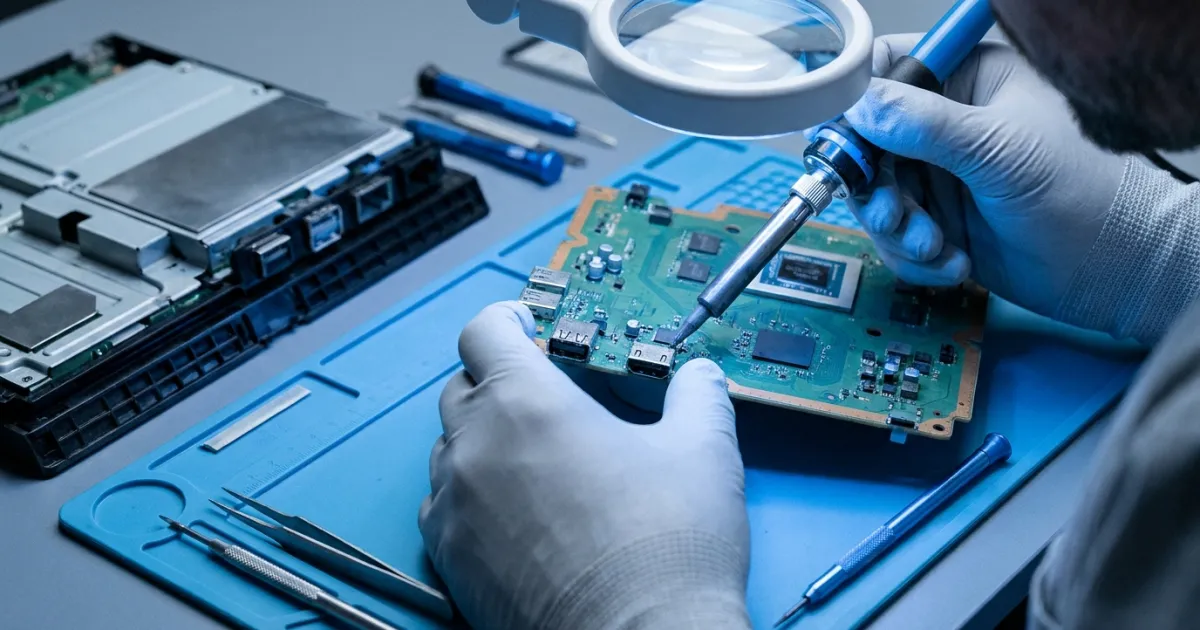
Most PS4s that land on our bench in Orleans with a "no signal" complaint still have a healthy APU, healthy RAM, and a working power supply. The part that failed is a small 19-pin connector at the back of the motherboard, and sometimes a chip a few centimetres behind it. The original PS4, the Slim, and the Pro all share this weak point, but the details differ enough between models that they're worth looking at separately.
How video actually leaves a PS4
The AMD APU in every PS4 doesn't output HDMI directly. It sends a DisplayPort signal to a Panasonic bridge chip, usually called the HDMI encoder, which converts it to HDMI. The exact part depends on the model and board revision. Early original consoles use the MN86471A, later originals and the Slim generally use the MN864729, and the Pro uses the MN864739, which supports HDMI 2.0 for 4K and HDR output.
From the encoder, four differential pairs (three TMDS data pairs plus a TMDS clock pair) run across the board, through ESD protection diodes and filtering components, to the HDMI Type A port. The port also carries the DDC lines (SCL and SDA) that the console uses to read your TV's EDID and negotiate HDCP, a hot plug detect pin, and a +5 V line. Damage anywhere along that path tends to produce the same symptom on the TV: nothing.
Why the port fails
Mechanical stress
The HDMI port is held to the board in two ways. The 19 signal pins are surface-mounted to very small copper pads, and the metal shell is anchored by through-hole tabs. When a cable gets yanked sideways, someone trips over it, or the console is carried with the cable still plugged in, the plug acts as a lever. The shell tabs absorb some of that force, but the signal pin joints are the weakest part of the assembly. They crack, or worse, the pads peel away from the fibreglass substrate and take a short length of trace with them.
The plastic tongue inside the port can also crack, letting pins bend into one another. A bent pin that shorts the +5 V line to a neighbouring pin can push damage further back into the circuit.
Electrical damage
Electrostatic discharge when a cable is hot-plugged, a surge coming back through a TV or AV receiver, or a short inside an already-damaged port can take out the ESD diodes or the encoder itself. Sometimes the protection diodes do their job and fail shorted, which drags a data line to ground. Other times the energy gets past them and the encoder is what gives up.
Failures that hide
Not every failure is total. A cracked joint can make intermittent contact, which shows up as flickering, white sparkles, the picture dropping out once the console warms up, or audio playing with no video. These are often the same fault caught at an earlier stage.
Model-by-model differences
Original PS4 (CUH-1000 to CUH-1200)
The oldest boards, and the most varied, since the encoder changed partway through production. Age shows here: we regularly see oxidized pads, worn port springs, and earlier repair attempts that need cleanup before any new work can start.
PS4 Slim (CUH-2000 series)
The Slim is light enough that a taut cable can drag it across a shelf, so sideways force on the port is common. The board is more compact, and the traces leading away from the port are fine enough that a lifted pad usually needs a jumper wire rather than a simple reflow.
PS4 Pro (CUH-7000 series)
The Pro is the most sensitive to marginal damage. At 1080p60, each TMDS lane runs at roughly 1.5 Gbps. At 4K60 under HDMI 2.0, that can climb to 6 Gbps per lane. Signal margins at those rates are much tighter, so a slightly cracked joint, a repaired trace with poor geometry, or a low-quality replacement port can work fine at 1080p and fall apart at 4K or with HDR turned on. Any Pro repair has to be tested at full resolution, not just "it shows a picture."
Checking before assuming the worst
Start with the easy things: a different HDMI cable, a different TV input, and ideally a different TV. Shine a light into the port and look for bent pins or a cracked tongue.
Then try Safe Mode. With the console off, hold the power button until the second beep (about seven seconds), connect the controller with a USB cable, and choose Change Resolution. Sony's Safe Mode instructions walk through the steps. If you get a picture in Safe Mode, the problem is more likely a resolution or HDCP handshake issue than a broken port. If there's still nothing, a hardware fault in the video path becomes much more likely.
If the console won't stay on at all, or the light pulses blue and shuts down, that points somewhere else. Our page on PS4 blinking blue light repair covers that fault.
What a proper repair involves
It starts with inspection under a microscope and diode-mode measurements on each port pin, compared against known-good values. That tells us whether the damage stops at the port, extends to the ESD components, or reaches the encoder.
The PS4 motherboard is multilayer with heavy internal ground planes that pull heat away quickly, so removing the old port takes bottom preheating plus hot air. Rushing that step is how pads get lifted. Once the port is off, the pads are cleaned with flux and wick. Any damaged pads or torn traces are rebuilt with fine jumper wire and sealed with UV-cure solder mask. The new port is aligned, the signal pins are soldered, and the shell tabs are fully filled so the port can actually take some abuse.
If the encoder is damaged, the job becomes a BGA replacement: chip removal, pad preparation, and installation of a new or reballed part. That's the same micro-soldering and board-level work we do on GPUs and laptop boards. Which category a given console falls into can't be known until it's been measured.
If you're weighing whether an older console deserves the effort, our post on whether it's worth repairing an aging PS4 goes through the decision.
Getting it looked at
GCOM Support handles PS4, Slim, and Pro HDMI port repair at our shop at 3735 St. Joseph Blvd in Orleans. If you're outside Ottawa, you can ship your console to us from anywhere in Canada, and we'll diagnose it before any work begins.